
The 10th edition of Virtual TechDays – being held on 22-24 November, 2010. I am glad to say that I will present a session on “Debugging Web Application using IntelliTrace” on 23rd November from 4.15 PM To 5.15PM IST. In this session I will explore one of the coolest and most important features of Visual Studio 2010, IntelliTrace debugging and will show you demo on how we can use this features for an ASP.NET web applications. This is an live meeting event. You can attend it from any where. To register for this event click here . Find all the details agenda from here . Tune in for a demo filled session.
Blog
How to Use ASP.NET “Property Pages” to create or host a Silverlight application in ASP.NET Site ?
While creating a Silverlight application in Visual Studio 2010, after providing the application name, IDE asked for whether you want to host the Silverlight application in a new ASP.NET web site or not. If you select the “Ok” button , Visual Studio will create a ASP.NET Site to host the corresponding Silverlight Application. So whenever you will run the Silverlight application, ASP.NET site will automatically host the Silverlight file But suppose you have an existing Silverlight Application and you want to host it in a ASP.NET site in a similar way that New Silverlight project does or you want to add a new Silverlight application which will automatically host inside your current asp.net web site? Do you know we can easily achieve this using “Property Pages” of an ASP.NET Application. Let’s explore how we can do that.
Microsoft Community Tech Days – Kolkata 28th Nov 2010
Community Tech Days in Kolkata Scheduled on 28th Nov 2010. I am glad to say that I will present a session on “Advance .NET Debugging with Visual Studio 2010” in Microsoft Community TechDays

Read More “Microsoft Community Tech Days – Kolkata 28th Nov 2010”
Use Shortcut or Context Menu for “Open Containing Folder” in Visual Studio
“Open Containing Folder” is one of the frequent used functionality to open a particular file location in windows explore from Visual Studio IDE . How did we do that ? Yes it’s very simple, Just right click on file from files Tab and select “Open Containing Folder” from the context menu as shown in below.

This will open the selected item location in windows explorer. This operation by default having no keyboard shortcut. But do you know we can assign keyboard shortcut for the same or even we can customize the context menu in code editor to achieve the same as shown in below images.


Read More “Use Shortcut or Context Menu for “Open Containing Folder” in Visual Studio”
Using Silverlight Chart Controls With SharePoint 2010
In this blog post I am going to explain how we can use Silverlight Chart Control with SharePoint 2010. 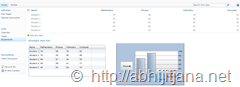 SharePoint 2010 supports fully integration with Silverlight application either of Silverlight In Browser or as a Silverlight OOB ( Out Of Browser) applications. In this blog post, I will be using one Share Point List to read the data using SharePoint Client Object Model (OM) and display them using Silverlight Chart Control inside SharePoint as a SharePoint Out of the box Silverlight Web Parts. This is also an example High Touch Integration of Silverlight and Share Point 2010.
Read More “Using Silverlight Chart Controls With SharePoint 2010”
How to use IIS Manager to get Worker Processes (w3wp.exe) details information ?
In one of my previous blog post, Identifying Worker Process (w3wp.exe) – IIS 6.0 and IIS 7.0 for Debugging ASP.NET Application – I have explained about how we can identify the list of currently running worker process using command prompt while we need to attach process from visual studio . But do you know for IIS 7.0 and IIS 7.5 we can get the worker process (w3wp.exe) details like Application Pool name, Process ID, CPU Usages from IIS Manager itself. Even you can get details of each worker process for a “Web Garden” scenarios. So when you need to attach some process for debugging from Visual studio, Instead of going to command prompt, you can easily identify the worker process Id from IIS itself.

Read More “How to use IIS Manager to get Worker Processes (w3wp.exe) details information ?”
How to pass InitParams to Silverlight Application which is hosted as SharePoint 2010 web parts?
While working with Silverlight Web Parts in SharePoint 2010 it may required to pass initial parameter to Silverlight application from SharePoint sites. For any ASP.NET hosted Silverlight application, you can pass the initialization value using “initparams” with in the “Object” tag. But for Silverlight applications which are hosted as SharePoint Web parts don’t have any object tag to set the “initparams”. But SharePoint Out of the Box (OOB) Silverlight Web Parts having inbuilt features from where we can set the initialize parameters using CustomParameters. In this blog post I am going to describe how we can pass some default values for Silverlight Application From Share Point Web Parts.
Multipurpose Find Combo Box in Visual Studio
Most of the time we use Visual Studio find combo box ( ) only for search contents with in the solution. But the find combo box is something more than what we know. We can use the find combo box in different purpose like create file, open files, create project, print, open watch windows etc. As for example you can close all the open files by just typing “>CloseAll” with in find combo box followed by a “Enter”. Fundamentally we can execute all the commands from Find Combo box which are available from Visual Studio Command Window. Like Command Window, In Combo Box, if you type “>” and aliases and press enter result will be the same.
Weekly Archive – From 3rd October 2010 to 31st October 2010
Different Version of Integrated Web Server in Visual Studio 2010
Published Date : October 3, 2010
.NET Community Event – ASP.NET 4.0 In-depth ( II )
Published Date : October 5, 2010
Silverlight Task Control For SharePoint 2010 – Example of High Touch Integration
Published Date : October 9, 2010
How to track an object which is Out of Scope while Debugging ?
Published Date : October 20, 2010
10 Tips you should know about “Watch Window” While debugging in Visual Studio
Published Date : October 26, 2010
PDC 2010 Live Streaming at Microsoft Campus -Hyderabad, Tonight – 6 PM IST
Published Date : October 28,2010
If you want to check all previous Weekly Archives, Please read https://abhijitjana.net/blogbox/ Section.
Quick Update – Live PDC 2010 Streaming at Microsoft Campus, Hyderabad
PDC 2010 Live Streaming is going on at Microsoft Campus, Hyderabad . This biggest broadcasting on PDC happening first time at Hyderabad Campus, Building 3. Here we have many MS Guys along with different community guys and MVP’s. We are all enjoying PDC !!
Sharing few snaps from the here, those are taken before live streaming started !

Will update more on this . At present Scottgu on the big screen with Win Phone 7 !!
Cheers !
AJ
PDC 2010 Live Streaming at Microsoft Campus -Hyderabad, Tonight – 6 PM IST
Microsoft will be streaming PDC 2010 Session at Microsoft Campus Hyderabad, Tonight. This biggest broadcasting on PDC happening first time at Hyderabad Campus, Building 3. If you have already registered for the event, be there in person by evening 6 PM . Along with the live streaming, we will have networking with senior leadership team, foods and many surprises for the attendees.

If you are tweeting anything on PDC 2010 please use #pdc10 hashtag.
Come and join. I will be there
Thanks !
AJ
10 Tips you should know about “Watch Window” While debugging in Visual Studio
Watch windows is one of most commonly used debugging tool with Visual Studio. We generally used to explore the objects, values, properties and other nested objects as a tree structure. Most of the time we used watch window to only view the values or change the current object properties values to see the effects of changed object during debugging. But we can use watch windows for many different purposes. In this blog post I am going to show 10 Tips, that may help you while dealing with Watch Window.
Read More “10 Tips you should know about “Watch Window” While debugging in Visual Studio”
How to track an object which is Out of Scope while Debugging ?
In Mastering in Visual Studio 2010 Debugging article I have discussed about the basic of Object ID creation while debugging. I received some request from some readers to explain the use of “Make Object ID” in details. In this blog post I am going explain how we can track an Object which is already out of scope using by creating a Object ID while debugging.
By using “Make Object ID” option we are informing Visual Studio Debugger to keep track of that object no matter it’s within scope or out of scope for the current context. We can create “Object ID” either from Locals, Autos or from Watch Windows. Object ID is a integer number followed by a pound (#) sign. When we create Object ID for an particular object, Visual Studio Debugger ( CLR Debugging Services ) use an integer value to uniquely identify the object. This “Object ID” allows you to get the object details even if it is out of scope.
Read More “How to track an object which is Out of Scope while Debugging ?”
Silverlight Task Control For SharePoint 2010 – Example of High Touch Integration
SharePoint 2010 supports fully integration with Silverlight application either of Silverlight In Browser or as a Silverlight OOB ( Out Of Browser) aplications. In this blog post I am going to explain about High Touch Integration with Silverlight and Sharepoint using SharePoint 2010 Client Object Model (OM) with one example of Silverlight Task Lists for Sharepoint. I have also explained how to host a Silverlight web parts with in SharePoint using Sharepoint Out-Of-the-Box Silverlight Web Parts. As per my understanding below is the over all diagram for a High Touch Integration of Silverlight and SharePoint 2010

From the above diagram we can see, that we have SharePoint Client Object Model (OM) and Services, Which can be consumed by a Silverlight Application. Object model and services is not only for Silverlight, you can use them for different client applications.
Read More “Silverlight Task Control For SharePoint 2010 – Example of High Touch Integration”
 Abhijit's Blog
