
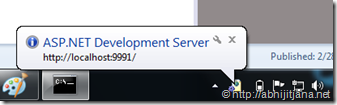
Visual Studio has its own integrated ASP.NET Runtime engine, which helps to run any ASP.NET web application with in Visual Studio. While running application from Visual Studio, you must have seen a popup notification in System Tray (As shown in below image) , which is notification of ASP.NET Development Server.
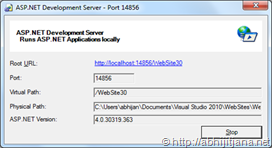
This ASP.NET Development Server is nothing but a executable file (WebDev.WebServer) which used by Visual Studio to execute you web application when it’s running in the context of Visual Studio. You can find the executable file at <\Program Files (x86)\Common Files\microsoft shared\DevServer\10.0> . This folder contain two different executable
- WebDev.WebServer20.EXE
- WebDev.WebServer40.EXE
WebDev.WebServer20 is targeted to CLR 2.0, which means all the ASP.NET Application which are targeted till FW .NET 3.5 will be taking care by WebDev.WebServer20.EXE and WebDev.WebServer40.EXE for ASP.NET 4.0 based application.
Now, let’s see how we can use these executable to run an ASP.NET 4.0 Application with out using Visual Studio. 
Step 1 : Open the Command Prompt for “Program Files (x86)\Common Files\microsoft shared\DevServer\10.0”
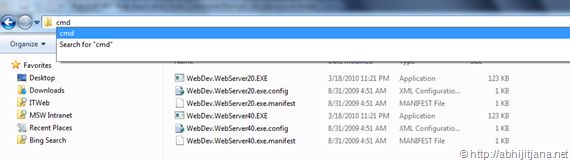
Easiest way to go there, type Cmd in the address bar ( If you are using Win 7), this will directly open command prompt with exact path .
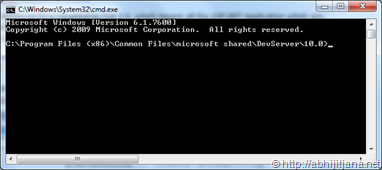
 Source for this cmd Tip : http://twitter.com/#!/pbrooks/status/35734806549495808
Step 2: [Optional] Type WebDev.WebServer40 and Press Enter, this will open a popup window with the details of required parameter
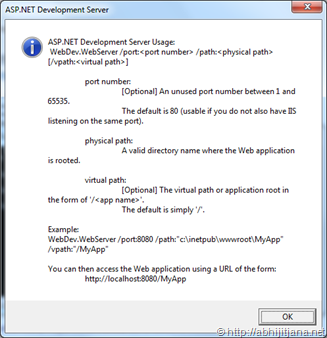
Step 3 : If you are done with review, type below command in your command prompt

Note : Port number should be valid and not in used by any other process and path is location of your published web apps.
Step 4: Once done, press Enter, you will see a pop up notification in system tray
If you double click on that icon you will get below window of ASP.NET Development server, which is exactly same notification window which we used to get when we run some ASP.NET Application from Visual Studio.
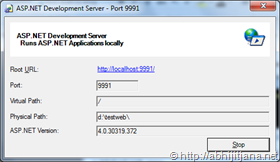
This indicates your application is running now.
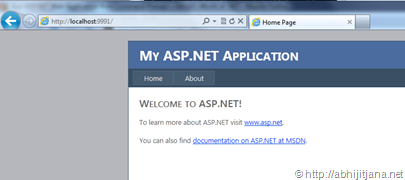
Step 4: Open IE > Type http://localhost:<portnumber> , you are there !

 Abhijit's Blog
Would it be more advantageous to run IIS Express for this?
From what I understand The ASP.NET Dev server has some limitations while IIS Express is just like a full blown install of IIS.
LikeLike
Good work guys.
LikeLike
What about a “right-click” “Open in Web Server” 🙂
http://lennybacon.com/2005/10/26/CoolToolCassiniHerePowerToy.aspx
LikeLike
Daniel,
Thanks for sharing the link !
LikeLike
Hi
Just like this. We can use Command line to run Web Applications in IIS 7.5 Express. It’s pretty awesome, if you guys have tried.
Good Article !!!
LikeLike
Thanks Nithin !
LikeLike
Hi Abhijit,
Great simple guide, making clear about what is required; As we know, I have one more requirement; WebDev.WebServer will be installed only if we install VisualStudio;
But my requirement is either ISS / Visual Studio shouldn’t be installed in a machine; But my web application should be hosted; My thought is to ship “DevServer\11.0” folder along with required dlls to host my application; Can you please tell what are the assemblies required?
LikeLike
What i have to do if i want to run aspx page in 64bit using command prompt.
LikeLike