I wish you a Happy New Year 2011 December 31, 2010
Posted by Abhijit Jana in General.Tags: General
4 comments
Wish you and your family a very happy and prosperous New Year in year 2011. May this new year bring many opportunities your way to explore every joy of life. I Hope this New Year fills your life with happiness and perfect health always, much more success and happiness.
As we wind up with year 2010, I would like to express my sincere thanks to all the visitors, readers, followers of my blog for their encouragement, feedbacks and support. Please keep visiting and send me your feedback. Based on your feedback, I have launched another site Dailydotnettips.com explicitly for .NET Tips.
In a personal note, one of my best moment in year 2010 was getting married with Ananya.
There are many new things coming at “Abhijit’s World of .NET” for all of you in year 2011. So, Keep visiting here and follow me @AbhijitJana for quick update.
Again, Thanks you and a very very happy new year 2010 !
Thanks !
AJ

.NET Tip a Day, Keeps painkillers away! – Live at http://dailydotnettips.com – 27th Dec 2010 December 27, 2010
Posted by Abhijit Jana in Announcement, General.Tags: Abhijit's World of .NET, Announcement
7 comments
Finally I have finished with designing, developing and deployment of my new web site for “Daily .NET Tips” and this is now live at http://dailydotnettips.com . A single tip can improve productivity of work while coding. Daily .NET Tips is aiming to sharing useful coding tips and tricks for .NET Developers. This site completely design for sharing Tips and Tricks, useful Code Snippet which anyone can use in their daily development work. I had this plan for a long time for launching this site after seeing great response on my different tips at my blog itself. Finally It’s done.
Wishing you all Merry Christmas December 25, 2010
Posted by Abhijit Jana in General.Tags: General
7 comments
Here’s wishing you all the joys of the season. Wish you and your family a Merry Christmas and a prosperous New Year in year in advance. May this good times become the golden memories of tomorrow for all of you. Wish you lots of love, joy and happiness.
Thanks for all of your response and support on this blog. A quick announcement from my side, After getting huge response from all of you on my .NET Tips, I am moving my .NET Tips section to a completely redesign web site http://dailydotnettips.com “.NET Tip a Day, Keeps painkillers away!” , exclusively for .NET Tips and Tricks. This site is now under development. Will be launch on 27th December 2010. I will really appreciate if you can visit the quickly and let me know your feedback. I will do a separate blog post on the launch date of Daily .Net Tips, about how I will move with that site.
Again, Merry Christmas and Advance Happy New Year !
Best Regards,
Abhijit
Download Video – Virtual Tech Days Session – November 2010 December 23, 2010
Posted by Abhijit Jana in .NET Community Events.Tags: EEvents, Virtual Tech Days
add a comment
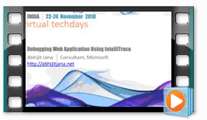
The 10th edition of Virtual Tech Days – was held on 22-24 November, 2010. My session was on “Debugging Web Application using IntelliTrace” on 23rd November from 4.15 PM To 5.15PM IST. In this session I have explored one of the coolest and most important features of Visual Studio 2010, IntelliTrace debugging and shown demo on how we can use this features for an ASP.NET web applications
The recording session is now available for download.
You can download all the session video from Virtual Tech Days Site
Thanks
Download PPT and Sample Code – Microsoft CTD – Hyderabad – 18th Dec 2010 December 21, 2010
Posted by Abhijit Jana in .NET Community Events, Microsoft.Tags: CTD, Events
5 comments
Now, You can download the PPT and Sample Code for my Session on “ASP.NET 4.0 State Management Improvement – Deep Dive” ![]()
Also check out the My CTD Session Summary
My Session Summary – Microsoft Community Tech Days – 18 Dec 2010 – Hyderabad
During the Session, I have talked about IntelliTrace debugging and found many people having interested on the same. You can check out my Virtual Tech Days Presentation on “Debugging Web Application using IntelliTrace“
For any Quick Update and Question You can follow me at @AbhijitJana
Let me know if you still have any questions.
Thanks !
AJ
My Session Summary – Microsoft Community Tech Days – 18 Dec 2010 – Hyderabad December 19, 2010
Posted by Abhijit Jana in General.18 comments
Community Tech-Days (CTD) is a Microsoft technology event organized by Microsoft and Local
Microsoft User Groups to help developers and IT Prof. to catch up with the latest Microsoft technologies. Hyderabad Community Tech Days was held on 18th December at Microsoft IDC Building , Microsoft Campus, Hyderabad. Event was full of large number of technology enthusiasts and a number of regular event speakers from various technologies present for the event. Audience was awesome. Overall 350+ attended this event for both the Developer and IT Track and many more via live streaming. Live streaming was available only for developer track. I have presented a session on “ASP.NET 4.0 State Management Improvement - Deep Dive” .
Microsoft Community Tech Days – Hyderabad – 18th December 2010 December 16, 2010
Posted by Abhijit Jana in ASP.NET 4.0, Community TechDays.Tags: Community Events, Community TechDays, Events
2 comments
Microsoft Community Tech Days in Hyderabad Scheduled on 18th December 2010. This time I will be speaking on one of my favorite topic “ASP.NET 4.0 State Management Improvement – Deep Dive”.
What is Community Tech-Days?
The Community Tech-Days website says “Dive deep into the world of Microsoft technologies at the Community TechDays and get trained on the latest from Microsoft. Build real connections with Microsoft experts and community members, and gain the inspiration and skills needed to maximize your impact on your organization while enhancing your career”
Community Tech-Days (CTD) is a Microsoft technology event organized by Microsoft and Local Microsoft User Groups to help developers and IT Prof. to catch up with the latest technologies and development methodologies.
New Features of IntelliTrace Debugging in Visual Studio 2010 – Service Pack 1 Beta December 15, 2010
Posted by Abhijit Jana in Debugging, Visual Studio 2010.Tags: codeproject, Debugging, IntelliTrace, Visual Studio 2010 SP 1 Beta
4 comments
Visual Studio 2010 Service Pack 1 Beta having some great enhancement for IntelliTrace debugging. One of the most important features is debugging 64bit application with IntelliTrace and also debug SharePoint projects using IntelliTrace. Apart from the above enhancement, there are some changes in saving of .iTrace Log files as well. Earlier, by default, IntelliTrace saves IntelliTrace log files (.iTrace files) to Trace debugging storage location and there was no option to enabled or disabled the log generation. But now, You can change the storage behavior of IntelliTrace log files, or you can manually save IntelliTrace log files from IntelliTrace Window. Here I am describing the procedures.
Debugging 64 bit application using IntelliTrace – Visual Studio 2010 Service Pack 1 Beta December 13, 2010
Posted by Abhijit Jana in Debugging, Visual Studio 2010.Tags: 64 bit Application Debugging with IntelliTrace, codeproject, Debugging, IntelliTrace
8 comments
IntelliTrace is an new features of Visual Studio 2010 Ultimate Edition. By default IntelliTrace is enabled . During debugging in Visual Studio, IntelliTrace works in the background and collect debugging information automatically and stored them in IntelliTrace Log File (. iTrace File ) . You can use the log file at any point of time to see what happened exactly at background during your live debugging. One of most draw back of IntelliTrace was to support only 32bit Application. So, If you have are running your application in a 64bit Application, you have to debug your application in 32 bit mode to deal with IntelliTrace. If you are trying to debug an 64 bit application using IntelliTrace you will get below message in IntelliTrace Window.
Does IntelliTrace support all the .NET Frameworks ? December 8, 2010
Posted by Abhijit Jana in Debugging, Visual Studio 2010.Tags: codeproject, Debugging, IntelliTrace, Visual Studio 2010
8 comments
I have been asked this question many times and also found many people have some confusion around different supported version of .NET framework by IntelliTrace debugging.
As IntelliTrace is new features of Visual Studio 2010 Ultimate edition and VS 2010 came up with .NET 4.0, so many may got confused that IntelliTrace only support debugging of .NET 4.0 features. But NO. IntelliTrace is available for .NET Framework 2.0 , 3.0, 3.5 and 4.0 . So, if you are creating any application (like Window, Console, ASP.NET) with any framework from Visual studio 2010 you can use IntelliTrace Debugging. Even if, you have an earlier application which is based on .NET 3.5 or lesser and you are running it from VS 2010 Ultimate edition, you can enjoy the IntelliTrace features. For an ASP.NET Application based on the targeted Framework version .iTrace log will be different. Generally for ASP.NET Application IntelliTrace log file name start with the name of the process which is handling the current request.
Add document header for files automatically in Visual Studio December 5, 2010
Posted by Abhijit Jana in Tips and Tricks, Visual Studio.Tags: How To, Tips and Tricks, Visual Studio
28 comments
In this blog post I am going to share how you can add a document header
of xml comments with code file automatically. This is going to be an very interesting and helpful for all of you who are using styleCop to maintain coding standard. Actually extensive using of StyleCop helped me to think to make it automate. There are many tools available which can helps us in this case to do this automatically. But I always prefer let’s Visual studio do the job for me. Here I am going to share with you two different approaches to deal with this issue. Now it’s up to you which one to use.
Tips : “Remove and Sort” Namespaces using Shortcut in Visual Studio December 4, 2010
Posted by Abhijit Jana in Tips and Tricks, Visual Studio.Tags: codeproject, Tips and Tricks, Tools
7 comments
While dealing with maintaining coding standard like stylecop warning fix with code, most of the time we need to remove unused namespaces and sort the namespaces. We can do it easily from the context menu of the code editor. There you have three different option for “Organize Using” . Either you can Remove Unused Usings , Sort Usings or we can do it together by selecting “Remove and Sort” . Let’s see how we can make it more handy !
Tips : Set Breakpoint to multiple Functions at a same time in Visual Studio December 3, 2010
Posted by Abhijit Jana in Debugging, Tips and Tricks, Visual Studio 2010.Tags: Breakpoint, BreakPoint at Funcation, codeproject, Debugging, Find Combo Box, How To, Tips and Tricks, Visual Studio
8 comments
Visual Studio having great features to set breakpoint in multiple functions at same time. For most of the time, to set a breakpoint with in a function you just put a breakpoint in the first line of the function. Now, assume you have 10 different overloaded methods or you have same function in different project, and you want to put breakpoint all of them or few of them, then it will take time to put breakpoint in each and every function. In this post I am going to share two quick tips by which you can set breakpoint to function very easily. first one is by using “Break at Function” and second one by “Using Find Combo Box”.
How to use out of scope object with in Conditional Breakpoint ? December 2, 2010
Posted by Abhijit Jana in Debugging, Tips and Tricks, Visual Studio.Tags: Debugging, How To, Out of Scope Object Debugging, Tips and Tricks
1 comment so far
During debugging of your application, you may need to keep track of some data which are already out of scope. Say, You call a MethodB() from MethodA() and did some operation inside MethodB(), now when you returned back to MethodA(), all the local variables inside MethodB() are
out of scope. But you want to use them in MethodA(). Now here is the trick, that you can create an ObjectID for an member variables or objects and can track the same when it’s out of scope as well, but until GC() does not collect it. In this post, I am going to explore how we can use an Out of Scope object value to deal with Conditional Break points. To start with, first you have to understand how to use Object ID to track and out of scope object. Here is my complete article How to track an object which is Out of Scope while Debugging ? . Though I described a quick look into use of out of scope object inside conditional breakpoints on that article, I received few query about more details on the same. So here I am going to give some more details.